I am trying to install Cognex In-sight Explorer on my computer running fedora 43. I want to install it to prepare for the machine vision module. (Specific topic in the module) But the supplied installation method is an exe. And well, i need to run wine or an other translation layer to use in-sight without running a full fletched virtual machine.
In this thread i will report my findings trying to install it on linux so the next person gets an educated guess of what to do on their device.
First attempt.
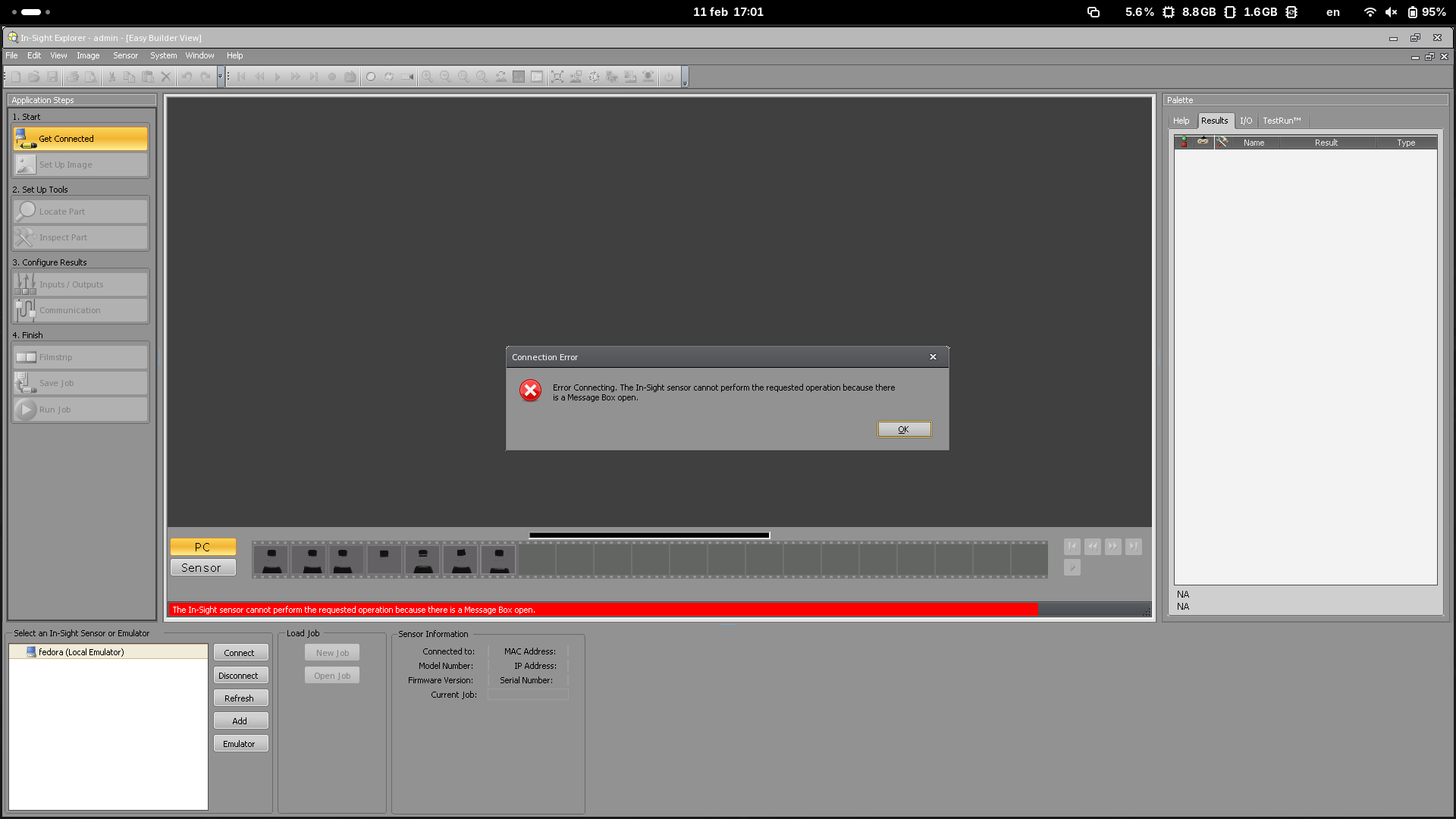
I have created a fresh wine prefix and tried to directly run the installer, and it seems to install just fine. Looking at the Program Files (x86) directory, i found [..]/Explorer 6.5.1/In-Sight Explorer 6.5.1/ running that it gave me a linking error saying that i was missing dotnet. So i installed that. (And i have run remove_mono winetrick) After that i can run and connect to the local emulator. Spreadsheet view seems to also work. But on application launch it complains about that it can’t run someting because of a message box… Something i need to look at
commands that i had run
cd ~/Projects
mkdir cognex-on-linux/
cd cognex-on-linux/
export WINEPREFIX="$HOME/Projects/cognex-on-linux"
wineboot --init
wine ~/Downloads/Cognex\ In-Sight\ Software\ 6.5.1.exe
wine drive_c/Program\ Files\ \(x86\)/Cognex/In-Sight/In-Sight\ Explorer\ 6.5.1/In-Sight\ Explorer.exe

# I do not know if remove_mono have any effect on if Congex runs. You may remove this
winetricks --unattended --force remove_mono
winetricks --unattended --force dotnet48
wine drive_c/Program\ Files\ \(x86\)/Cognex/In-Sight/In-Sight\ Explorer\ 6.5.1/In-Sight\ Explorer.exe