Do not attempt to detect the glass directly. Instead, detect an attached reference object to locate where the glass should be, then use controlled lighting to provoke a measurable optical signature that confirms the glass is present.
1. What is a good reference object?
A dark rubber or foam gasket ring around a circular glass lens.
A black adhesive border around a rectangular glass panel.
A coloured plastic housing that frames the glass.
A printed alignment mark on a carrier substrate.
High contrast against its surroundings under ambient light, so it is detectable without special illumination.
2. The two-image approach
The solution is to capture two separate images of the same item in the same position:
Image A — Reference detection
Captured with direct illumination OFF
Reference object has high contrast
Used only to locate the Region of interest
Image B — Glass detection
Captured with direct illumination ON
Used only to count reflection dots inside the ROI
Glass produces one or more bright specular reflection spots
WHY NOT ONE IMAGE? With direct light on, a dark gasket ring loses contrast and contour detection fails. With light off, glass produces no reflection and cannot be detected. Separating the two tasks into two images with different lighting eliminates both failure modes.
3. Step-by-step detection
Phase 1 Reference object detection (Image A, light off)
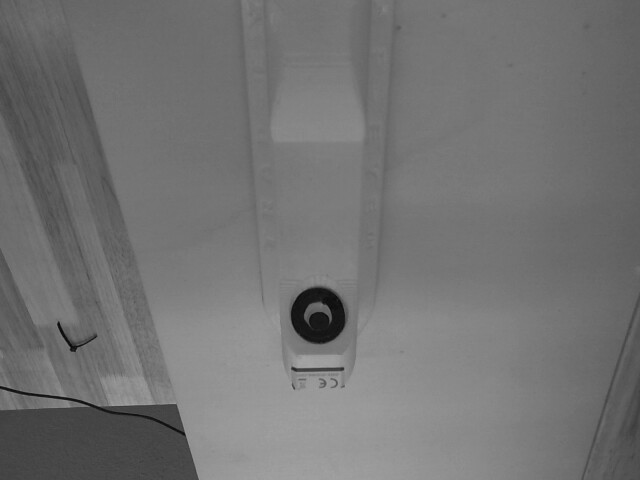
Step 1 Bright-spot suppression
Before thresholding, replace any pixel brighter than a defined threshold with a neutral mid-gray value. This preserves the dark reference object while neutralising stray highlights.
gray_suppressed = gray.copy()
gray_suppressed[gray > REFLECTION_THRESH] = 128
Step 2 Binary thresholding for the reference object
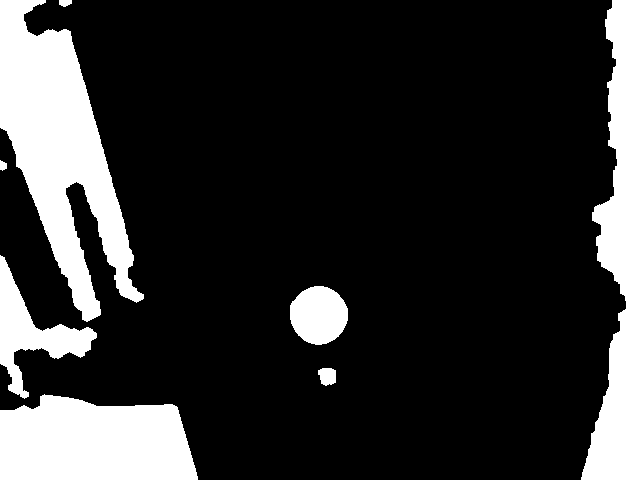
Apply an inverse binary threshold to isolate all pixels darker than a defined value. Apply morphological closing to fill small gaps in the reference object outline, then morphological opening to remove small noise blobs.
_, mask = cv2.threshold(gray_suppressed, BLACK_THRESH, 255, cv2.THRESH_BINARY_INV)
kernel = cv2.getStructuringElement(cv2.MORPH_ELLIPSE, (5, 5))
mask = cv2.morphologyEx(mask, cv2.MORPH_CLOSE, kernel, iterations=3)
mask = cv2.morphologyEx(mask, cv2.MORPH_OPEN, kernel, iterations=2)
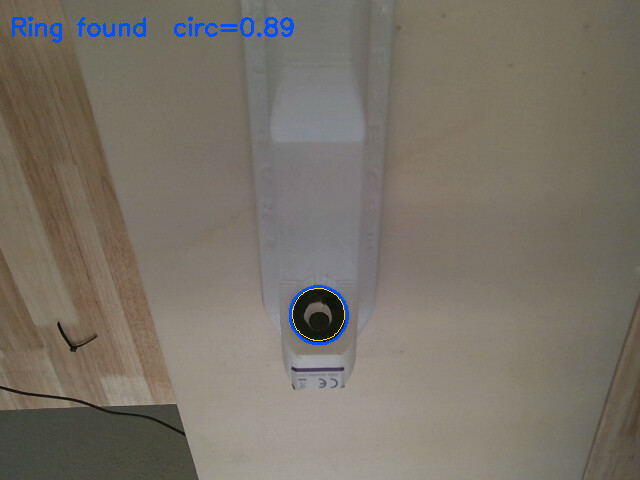
Step 3 Contour extraction and circularity filtering
  def _circularity(contour) -> float:
   area  = cv2.contourArea(contour)
   perim = cv2.arcLength(contour, True)
   return (4 * np.pi * area / perim ** 2) if perim else 0
A perfect circle gives a circularity of 1.0. Adjust the minimum circularity threshold to match how round your reference object actually is. A rectangular border would use a different shape filter.
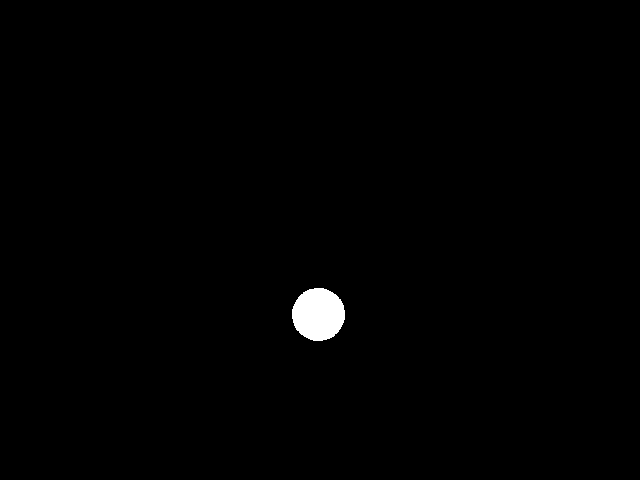
ROI mask
Phase 2 Glass detection (Image B, light on)
Step 4 Reflection dot detection inside the ROI
Apply the ROI mask to Image B (the lit image). Within the masked region, apply a brightness threshold to isolate pixels brighter than a defined value. These bright spots are the specular reflections produced by the glass surface under direct illumination. Apply a small morphological closing operation to connect dots that are nearly touching.
roi_region = cv2.bitwise_and(gray_light, gray_light, mask=roi_mask)
_, dots = cv2.threshold(roi_region, REFLECTION_THRESH, 255, cv2.THRESH_BINARY)
dots = cv2.morphologyEx(dots, cv2.MORPH_CLOSE, kernel_small, iterations=2)
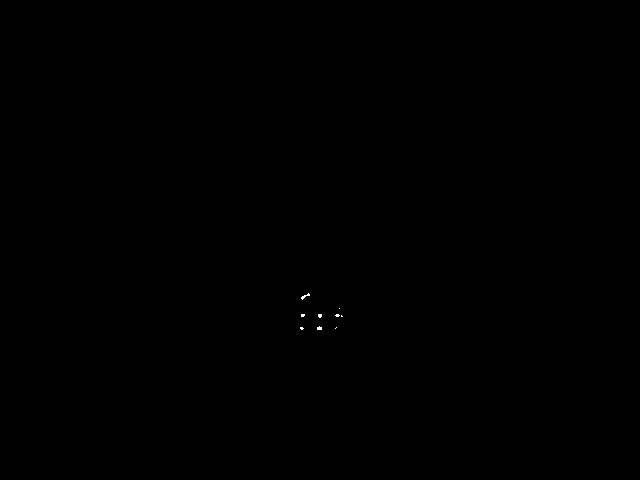
Step 5 Count qualifying dots and deliver verdict
Find all connected components in the reflection dot mask. Discard any component whose area is below a minimum threshold, these are noise. Count the remaining components. If the count meets or exceeds the minimum required number of dots, glass is declared present. If no qualifying dots are found inside the ROI, glass is declared absent.
The minimum dot count is typically set to 1. Some glass types or lighting setups consistently produce 2 or 3 dots — in those cases raising the minimum improves robustness against noise.
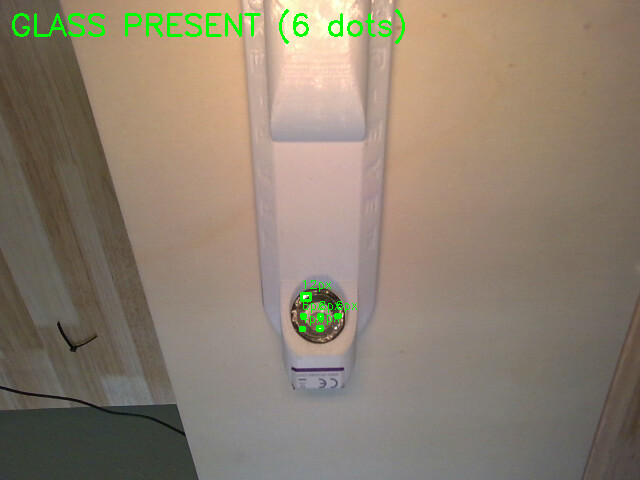
4. Code
import logging
import numpy as np
import cv2
log = logging.getLogger(name)
BLACK_THRESH = 100 # px darker than this = black tape / lens (dark img)
REFLECTION_THRESH = 230 # px brighter than this = reflection dot (light img)
MIN_REFL_AREA = 5 # px² minimum per qualifying reflection dot
MIN_CIRCULARITY = 0.75 # how round the glue-strip ring must be
MIN_RING_AREA = 500 # px² minimum for the ring contour itself
MIN_DOT_COUNT = 1 # reflection dots needed to declare glass present
DEBUG = False # set True during commissioning to show imshow windows
 def check_back(

    img_dark:  np.ndarray,

    img_light: np.ndarray,

    specs: dict = None,

    ) -> tuple[bool, list[str]]:

   faults = []

   try:
    glass_present, dot_count, detail = _detect_glass_plate(img_dark, img_light)
except Exception as e:
    log.error(f"cv_check internal error: {e}")
    faults.append("CV_INTERNAL_ERROR")
    return False, faults

if detail == "NO_RING":
    faults.append("GLASS_RING_NOT_FOUND")
    log.warning("Back: GLASS_RING_NOT_FOUND — glue-strip contour missing in dark image.")
    return False, faults

if not glass_present:
    faults.append("GLASS_MISSING")
    log.warning(
        f"Back: GLASS_MISSING — {dot_count} reflection dot(s) found "
        f"in light image (need >= {MIN_DOT_COUNT})."
    )
    return False, faults

log.info(f"Back: GLASS_PRESENT — {dot_count} reflection dot(s) detected.")
return True, []


def _detect_glass_plate(

frame_dark:  np.ndarray,

frame_light: np.ndarray,

) -> tuple[bool, int, str]:

gray_dark  = cv2.cvtColor(frame_dark,  cv2.COLOR_BGR2GRAY)
gray_light = cv2.cvtColor(frame_light, cv2.COLOR_BGR2GRAY)
debug_dark  = frame_dark.copy()  if DEBUG else None
debug_light = frame_light.copy() if DEBUG else None

# Step 1: find ring on dark image
# Suppress any remaining bright spots so they don't break the contour
gray_dark_sup = gray_dark.copy()
gray_dark_sup[gray_dark > REFLECTION_THRESH] = 128

if DEBUG:
    cv2.imshow("0 - Dark suppressed", gray_dark_sup)

_, black_mask = cv2.threshold(
    gray_dark_sup, BLACK_THRESH, 255, cv2.THRESH_BINARY_INV
)
kernel     = cv2.getStructuringElement(cv2.MORPH_ELLIPSE, (5, 5))
black_mask = cv2.morphologyEx(black_mask, cv2.MORPH_CLOSE, kernel, iterations=3)
black_mask = cv2.morphologyEx(black_mask, cv2.MORPH_OPEN,  kernel, iterations=2)

if DEBUG:
    cv2.imshow("1 - Black mask (dark image)", black_mask)

contours, _ = cv2.findContours(
    black_mask, cv2.RETR_EXTERNAL, cv2.CHAIN_APPROX_SIMPLE
)
candidates = sorted(
    [c for c in contours
     if cv2.contourArea(c) > MIN_RING_AREA and _circularity(c) > MIN_CIRCULARITY],
    key=cv2.contourArea,
    reverse=True,
)

if not candidates:
    log.warning(
        "No glue-strip ring found in dark image. "
        "Try lowering MIN_CIRCULARITY or BLACK_THRESH."
    )
    return False, 0, "NO_RING"

glue_strip = candidates[0]
log.debug(
    f"Glue strip: area={cv2.contourArea(glue_strip):.0f}  "
    f"circ={_circularity(glue_strip):.2f}"
)

#Step 2: build ROI ellipse from the ring
roi_mask = np.zeros(gray_dark.shape, dtype=np.uint8)

if len(glue_strip) >= 5:
    ellipse = cv2.fitEllipse(glue_strip)
    (cx, cy), (ma, mb), angle = ellipse
    inner_axes = (
        max(1, int(ma * 0.92 / 2)),
        max(1, int(mb * 0.92 / 2)),
    )
    cv2.ellipse(roi_mask, (int(cx), int(cy)), inner_axes, angle, 0, 360, 255, -1)
    if DEBUG and debug_dark is not None:
        cv2.ellipse(debug_dark, ellipse, (255, 80, 0), 2)
        cv2.ellipse(debug_dark, (int(cx), int(cy)), inner_axes, angle,
                    0, 360, (0, 220, 255), 1)
else:
    (cx, cy), r = cv2.minEnclosingCircle(glue_strip)
    cv2.circle(roi_mask, (int(cx), int(cy)), max(1, int(r * 0.92)), 255, -1)

if DEBUG:
    cv2.imshow("2 - ROI mask", roi_mask)

#Step 3: punch out the camera lens from the ROI
def _centre_in_roi(c):
    (px, py), _ = cv2.minEnclosingCircle(c)
    y_idx = min(int(py), roi_mask.shape[0] - 1)
    x_idx = min(int(px), roi_mask.shape[1] - 1)
    return roi_mask[y_idx, x_idx] == 255

inner = [c for c in candidates[1:] if _centre_in_roi(c)]
if inner:
    lens = inner[0]
    log.debug(
        f"Camera lens: area={cv2.contourArea(lens):.0f}  "
        f"circ={_circularity(lens):.2f}"
    )
    if len(lens) >= 5:
        le = cv2.fitEllipse(lens)
        (lx, ly), (lma, lmb), la = le
        punch = (max(1, int(lma * 1.15 / 2)), max(1, int(lmb * 1.15 / 2)))
        cv2.ellipse(roi_mask, (int(lx), int(ly)), punch, la, 0, 360, 0, -1)
        if DEBUG and debug_dark is not None:
            cv2.ellipse(debug_dark, (int(lx), int(ly)), punch, la,
                        0, 360, (0, 80, 255), 2)
    else:
        (lx, ly), lr = cv2.minEnclosingCircle(lens)
        cv2.circle(roi_mask, (int(lx), int(ly)), max(1, int(lr * 1.15)), 0, -1)

#Step 4: detect reflection dots on the LIGHT image inside the ROI
gray_light_roi = cv2.bitwise_and(gray_light, gray_light, mask=roi_mask)
_, refl_raw    = cv2.threshold(
    gray_light_roi, REFLECTION_THRESH, 255, cv2.THRESH_BINARY
)

refl_kernel = cv2.getStructuringElement(cv2.MORPH_ELLIPSE, (3, 3))
reflections = cv2.morphologyEx(refl_raw, cv2.MORPH_CLOSE, refl_kernel, iterations=2)

if DEBUG:
    cv2.imshow("3 - Reflection dots (light image in ROI)", reflections)

#Step 5: count qualifying dots
refl_contours, _ = cv2.findContours(
    reflections, cv2.RETR_EXTERNAL, cv2.CHAIN_APPROX_SIMPLE
)
dot_count = 0
for c in refl_contours:
    area = cv2.contourArea(c)
    if area < MIN_REFL_AREA:
        continue
    dot_count += 1
    log.debug(f"  Dot {dot_count}: area={area:.0f}")
    if DEBUG and debug_light is not None:
        x, y, w, h = cv2.boundingRect(c)
        cv2.rectangle(debug_light, (x, y), (x + w, y + h), (0, 255, 0), 2)
        cv2.putText(debug_light, f"{area:.0f}px", (x, y - 5),
                    cv2.FONT_HERSHEY_SIMPLEX, 0.4, (0, 255, 0), 1)

glass_present = dot_count >= MIN_DOT_COUNT

if DEBUG:
    # Show ring detection result on dark image
    label_dark = f"Ring found  circ={_circularity(glue_strip):.2f}"
    cv2.putText(debug_dark, label_dark, (10, 35),
                cv2.FONT_HERSHEY_SIMPLEX, 0.8, (255, 80, 0), 2)
    cv2.imshow("4a - Dark: ring detection", debug_dark)

    # Show dot detection result on light image
    label_light = (
        f"GLASS PRESENT ({dot_count} dot{'s' if dot_count != 1 else ''})"
        if glass_present else "NO GLASS"
    )
    color = (0, 255, 0) if glass_present else (0, 0, 255)
    if debug_light is not None:
        cv2.putText(debug_light, label_light, (10, 35),
                    cv2.FONT_HERSHEY_SIMPLEX, 1.0, color, 2)
        cv2.imshow("4b - Light: dot detection", debug_light)

    cv2.waitKey(0)
    cv2.destroyAllWindows()

return glass_present, dot_count, "OK"

def _circularity(contour) -> float:

   area  = cv2.contourArea(contour)

   perim = cv2.arcLength(contour, True)

   return (4 * np.pi * area / perim ** 2) if perim else 0