Based on contributions by Naman.
Use this when a Raspberry Pi needs to start a script by itself every time it powers on, without anyone logging in — for example a data logger or a controller that should run unattended in a booth or on a robot.
What you need
- A Raspberry Pi running Raspberry Pi OS (or another Linux distribution with
cron) - A Python script you want to run at startup
Steps
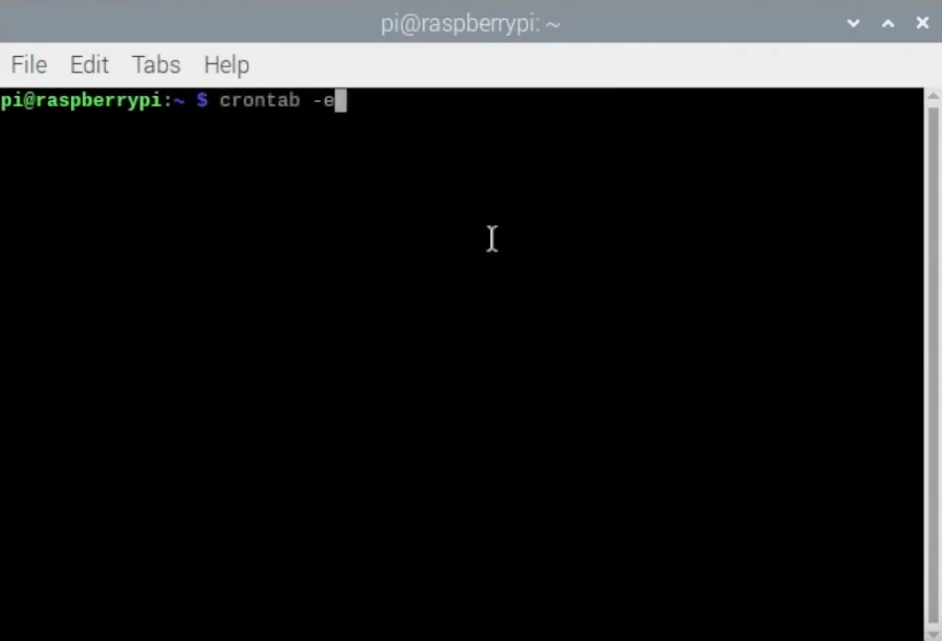
1. Open your crontab
crontab -e
The first time you run this, you’ll be asked to choose an editor. nano is the simplest choice for beginners.
2. Add a @reboot line
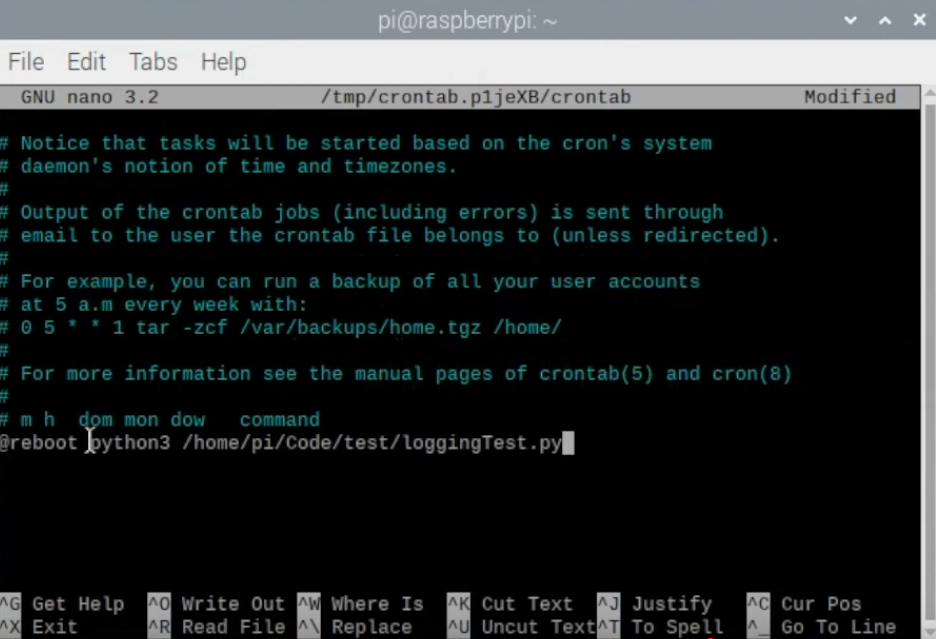
Go to the bottom of the file and add a line in this form:
@reboot python3 /full/path/to/your_script.py
Use the full, absolute path to your script (not a relative one), since cron doesn’t run from your home directory. In nano, save and exit with Ctrl+X, then Y, then Enter.
3. Test it with an example script
Create a script that logs the current time, so you can easily confirm it ran on boot:
import os
from datetime import datetime
import time

MAX_FILE_SIZE_B = 1024


def log_current_time(log_path):
    now = datetime.now()
    timestamp = now.strftime('%Y-%m-%d_%H-%M-%S')
    write_mode = 'a'

    if os.path.isfile(log_path):
        size = os.path.getsize(log_path)
        if size >= MAX_FILE_SIZE_B:
            write_mode = 'w'

    with open(log_path, mode=write_mode) as output_file:
        output_file.write(timestamp + '\n')
        print(timestamp)


if __name__ == '__main__':
    log_path = '/home/pi/Desktop/output.txt'

    while True:
        log_current_time(log_path)
        time.sleep(1.0)
Add this script’s path to your crontab as shown in step 2, then restart the Raspberry Pi. After it boots, open output.txt on the Desktop — you should see timestamps being appended, confirming the script started on its own.
4. Stop a script from running on boot
Open the crontab again (crontab -e), delete the @reboot line for your script, save, and restart the Raspberry Pi.
Related
- How to set up a Raspberry Pi (with or without a monitor) — setting up a Raspberry Pi
Rewritten and consolidated (Sept 2026) from the original student how-to’s: How to make a raspberry pi script run up on startup (with example code).